
Delete Account
To delete your account from the mobile application Shybe, follow the steps below.
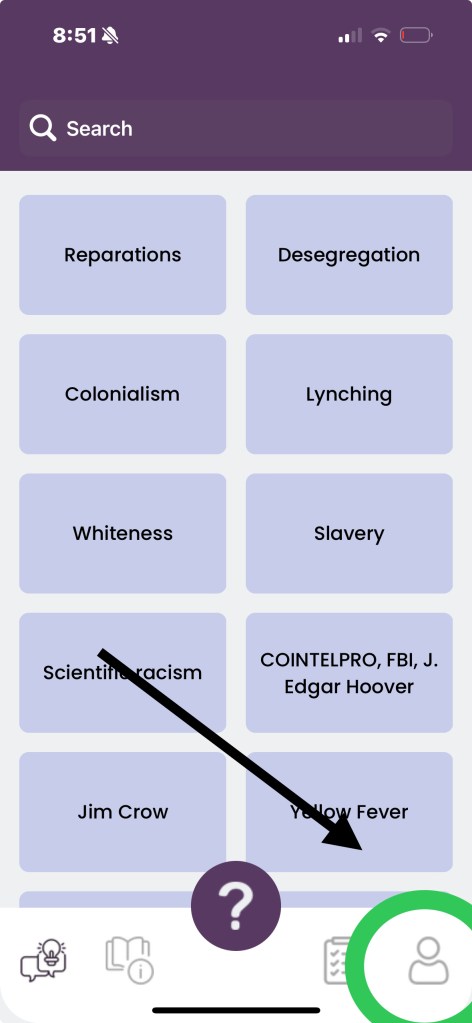
Step One, go to your account profile.
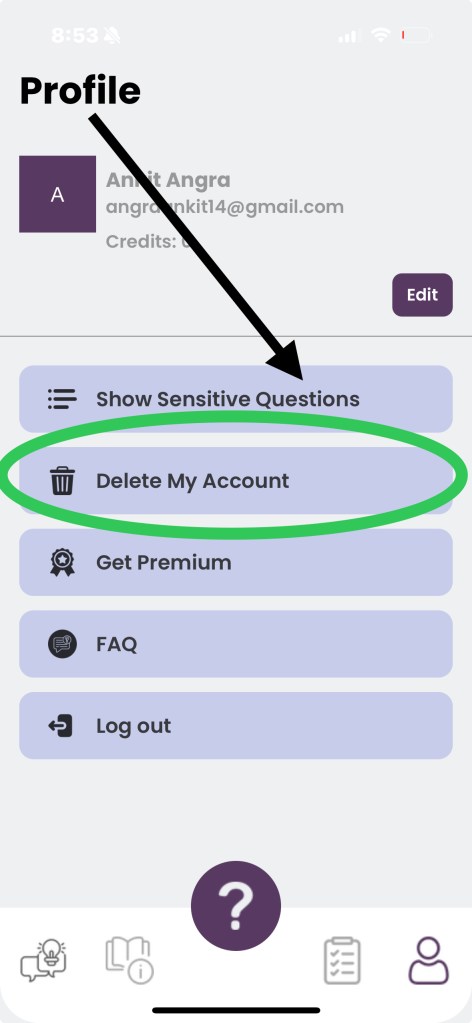
Step Two, tap “Delete My Account” from the Profile menu.
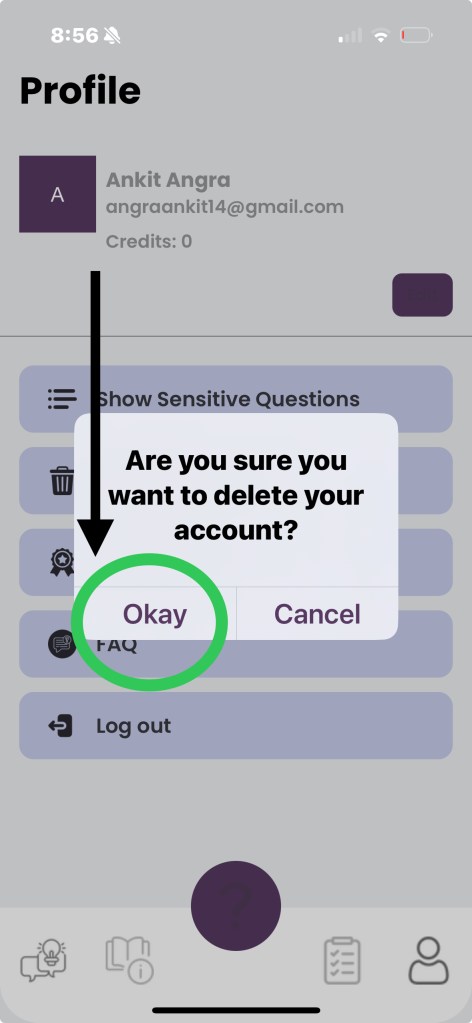
Step Three, when prompted, press “okay”.
…self-guided, anti-racist learning & inquiry
To delete your account from the mobile application Shybe, follow the steps below.
Step One, go to your account profile.
Step Two, tap “Delete My Account” from the Profile menu.
Step Three, when prompted, press “okay”.
 Shybe, LLC